
Check the plate’s effect
If your Malignus traps are not triggering, start with the plate that should fire the Dart Thrower. Select it and read the effect panel. In Mossbomb’s official pressure plate screenshot, the selected plate lists the Dart Thrower as its effect and shows a blue wire to the device.
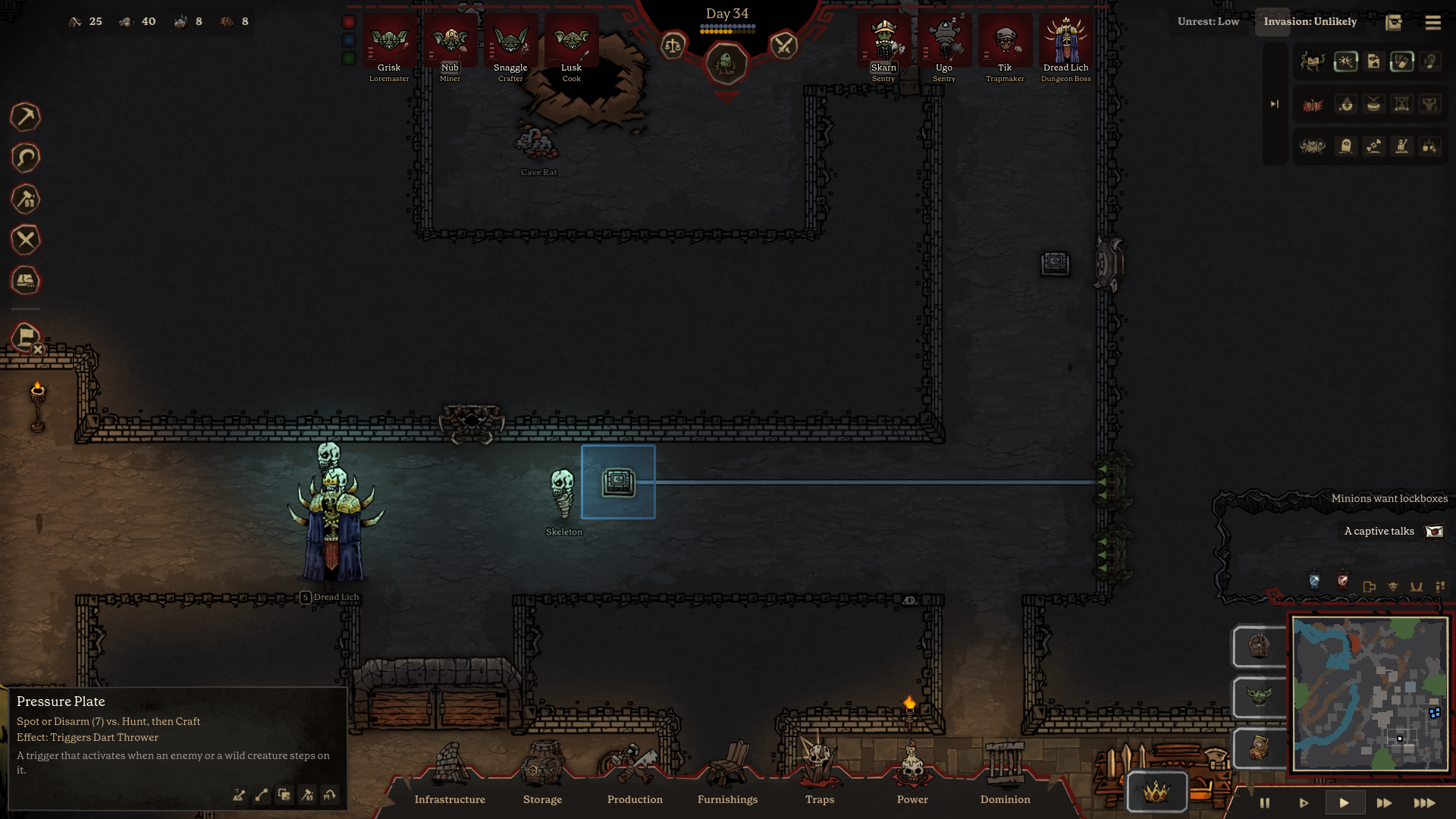
Follow the wire to the intended trap
Look at where the line actually ends. If it points to a different thrower than the one you are watching, you have found a connection to check. If the expected device is missing from the effect panel, recheck the wiring before changing the corridor layout.
Check whether anything stepped on the tile
An enemy or wild creature has to step onto the Pressure Plate. If the target only walked past the tile, the plate had no reason to fire. Watch the route through the corridor and move the trigger onto the expected path if needed. Check the device connection again after changing the setup.
FAQ
What if two throwers are close together?
Select the plate and follow the blue line to see which specific thrower it reaches.
Will a wild creature trigger the trap?
Yes. The plate’s tooltip includes wild creatures as well as enemies, provided they step onto the trigger tile.
Does this explain why a timer or tripwire failed?
These checks cover the documented Pressure Plate and Dart Thrower setup. Read the other trigger’s own tooltip before applying the same checks to it.